


Refining your performance on the AdWords Content Network requires diligence and a varied approach. We have written previously on excluding specific sites on the Content Network, as well as restructuring your campaign to gain additional exposure. Now I’d like to discuss how you can further optimize your performance by excluding entire categories from your distribution.
Within the Google AdWords interface you can exclude entire categories. First, let’s discuss where you can find these options. Go to the Networks tab and under the Search and Content Network data you will see the “Exclusions” information. This is where you’ll see these options:
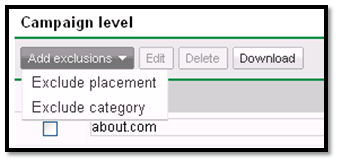
As you can see above, you can exclude placements and/or categories at the campaign level. For our example today, you’ll want to click on “Exclude category.”
When you choose this option, a widow will pop up, here is a screen shot below:
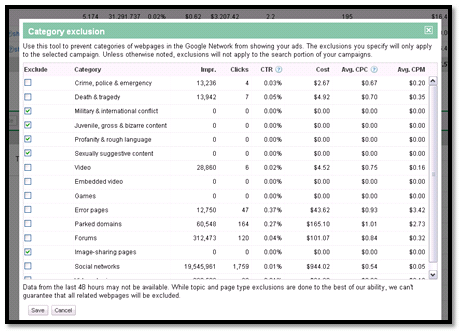
There is a set of standard categories that is included within your Content Network distribution. Within this screen you can choose entire categories from which you can exclude your ads.
For this example, you can see that I previously excluded certain categories, and I have a feeling you may want to review these categories as well:
- Military & international conflict
- Juvenile, gross & bizarre content
- Profanity & rough language
- Sexually suggestion content
I have excluded other categories as well but I doubt these 4 categories are applicable for most of your campaigns. I’d give these a look to see how they are performing for your campaign.
This method can help refine your Content Network distribution, increase your conversion rate and decrease your cost-per-conversions.
